Authoritative Investigation9 min read•Updated: October 4, 2026
How to Report a Flock Camera You Found: Field Tagging & Verification Guide
Civic Technology Research Group
Public Safety GIS Analysts • Editorial Review Verified
Peer Reviewed
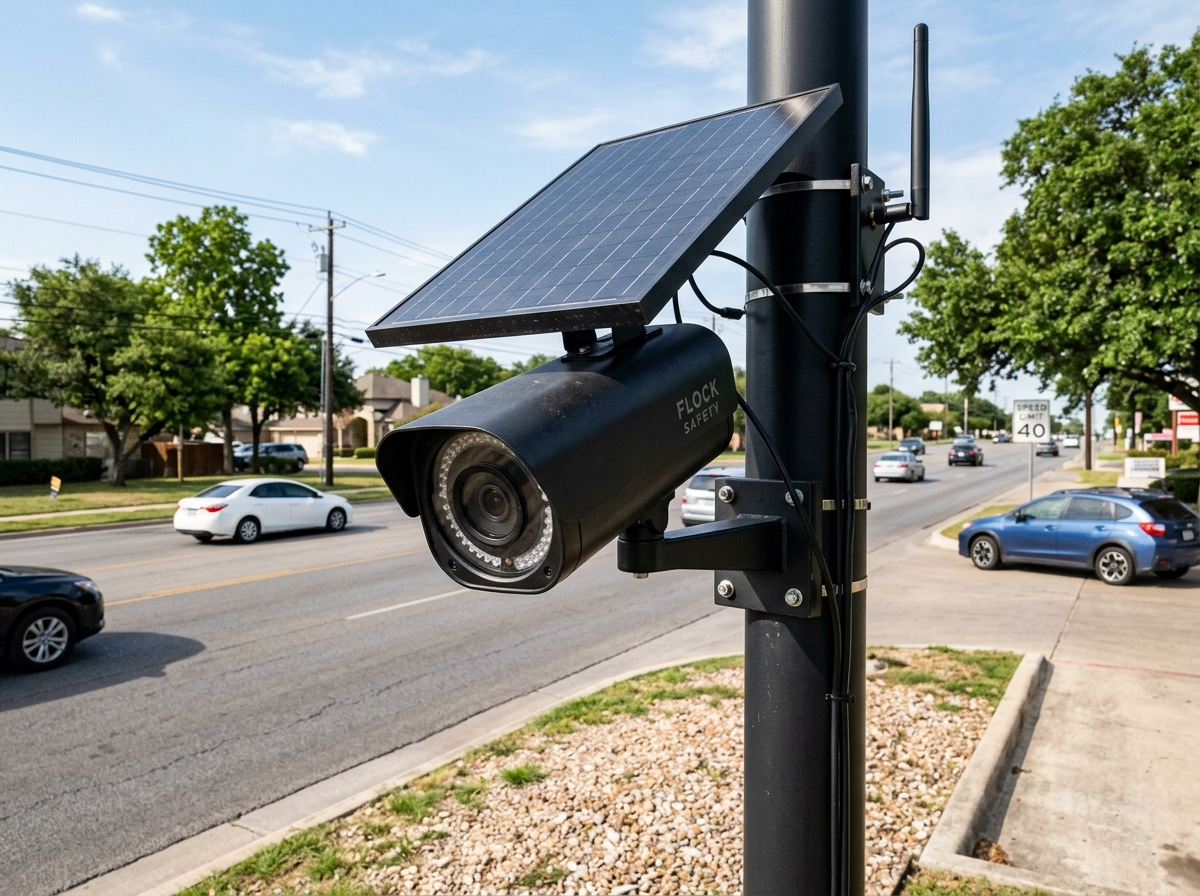
Key Takeaway: Citizens who spot an unmapped Flock camera can add it to the global transparency network using mobile OpenStreetMap apps (Go Map!!, Every Door) or by submitting verified coordinates directly.
Immediate Answer: How to Report an Unmapped Camera
If you spot a Flock Safety camera or automated license plate reader that does not appear on our live map, you can add it to the global open data repository:
- Record the Exact GPS Coordinates: Pull over safely or stand near the pole and use your smartphone's compass or map app to drop a pin.
- Note the Camera's Orientation: Determine which direction the camera lens is pointing (e.g., North, South, East, West, or approximate degrees 0°–359°).
- Identify the Power Source & Mounting: Note whether the unit is mounted on a standalone pole, utility pole, or streetlight, and whether it uses a solar panel or AC power.
- Submit via OpenStreetMap: Add a node on OpenStreetMap using standard surveillance tags:
man_made = surveillancesurveillance:type = ALPRoperator = Flock Safety(or local police agency)camera:direction =camera:mount = pole- Latitude & Longitude: Recorded in decimal degrees to at least 5 decimal places (e.g.,
34.05223, -118.24368). - Lens Azimuth Heading: The compass direction the lens is pointed (0° = North, 90° = East, 180° = South, 270° = West).
- Mount Hardware: Standalone pole, streetlight mast, wooden utility pole, or trailer.
- Power Configuration: Photovoltaic solar panel or hardwired AC photocell tap.
- Operating Entity / Decals: Any visible agency asset tags, police department seals, or HOA markings on the pole.
- Every Door (iOS & Android): A streamlined mobile editor designed specifically for mapping roadside infrastructure and amenities.
- Go Map!! (iOS): A feature-rich OpenStreetMap editor for iPhone and iPad allowing instant node creation and tag assignment.
- Vespucci (Android): An advanced, comprehensive GIS editor for Android devices.
- FlockCamerasMap Report Portal: You can also use our Report a Camera form to submit roadside photos and coordinates directly to our verification team.
- First Amendment Protection: Taking photographs of cameras, utility poles, and public infrastructure from public sidewalks and roadways is fully protected under the First Amendment of the U.S. Constitution (Glik v. Cunniffe, Turner v. Driver).
- Safety Guidelines: Never trespass on private property, never tamper with physical camera equipment, and always prioritize vehicular safety when stopping near roadways.
Once added to OpenStreetMap, our automated ingestion engine will index the camera and display it on our live interactive map within the next data cycle.
Essential Field Data to Collect
To ensure community verification meets high standards:
Recommended Mobile Mapping Tools
OpenStreetMap Tagging Taxonomy
When adding an ALPR camera to OpenStreetMap, use the standard community schema:
man_made = surveillance
surveillance:type = ALPR
surveillance:kind = civic
operator = Flock Safety
camera:mount = pole
camera:direction = 180
power_source = solar
Legal Protections for Field Mappers
Citizens often ask if photographing public roadside cameras is legal:
Explore These Cameras On The Live Map
Search your state or city to see verified camera locations and vision cones in real time.
Frequently Asked Questions
Common questions addressed in this guide.
Yes. Taking photographs of cameras, utility poles, and public infrastructure from public sidewalks and roadways is fully protected under the First Amendment of the U.S. Constitution.
Keep Reading • Related Investigations
What Is a Flock Camera? Complete Technical, Hardware & Operational Guide (2026)What Does a Flock Camera Look Like? Photos & Field Identification GuideAre Flock Camera Locations Public? Public Records, FOIA & Transparency PortalsHow to Find Flock Cameras Near You: Live Maps, Citizen Audits & FOIA Records